Windows When "Windows protected your PC" appears — 3 steps
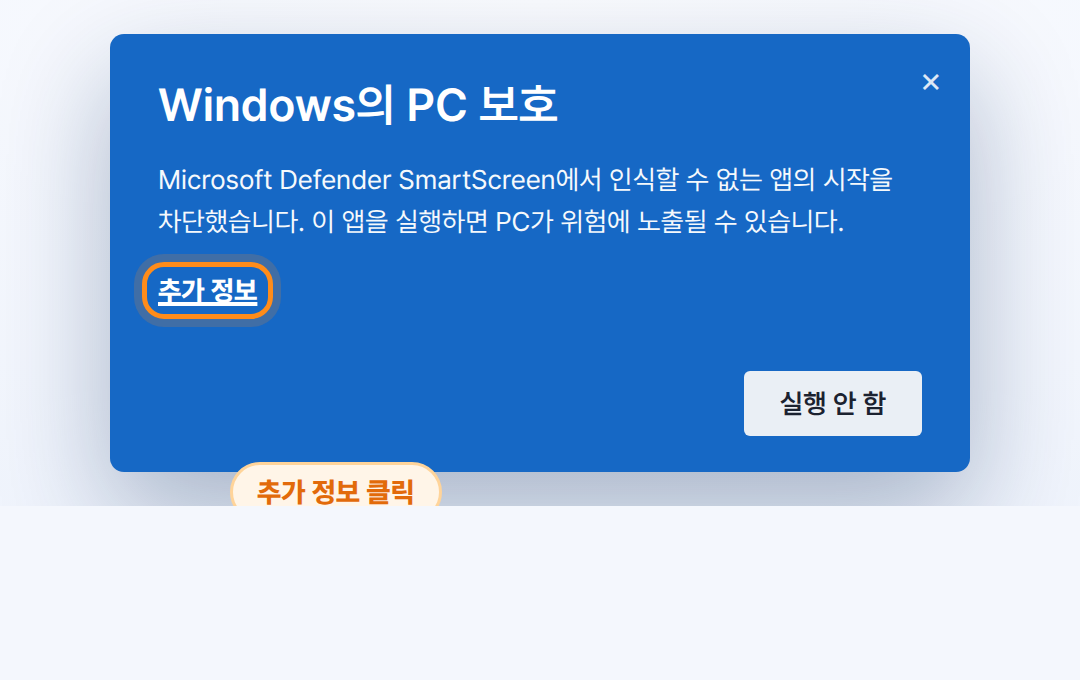
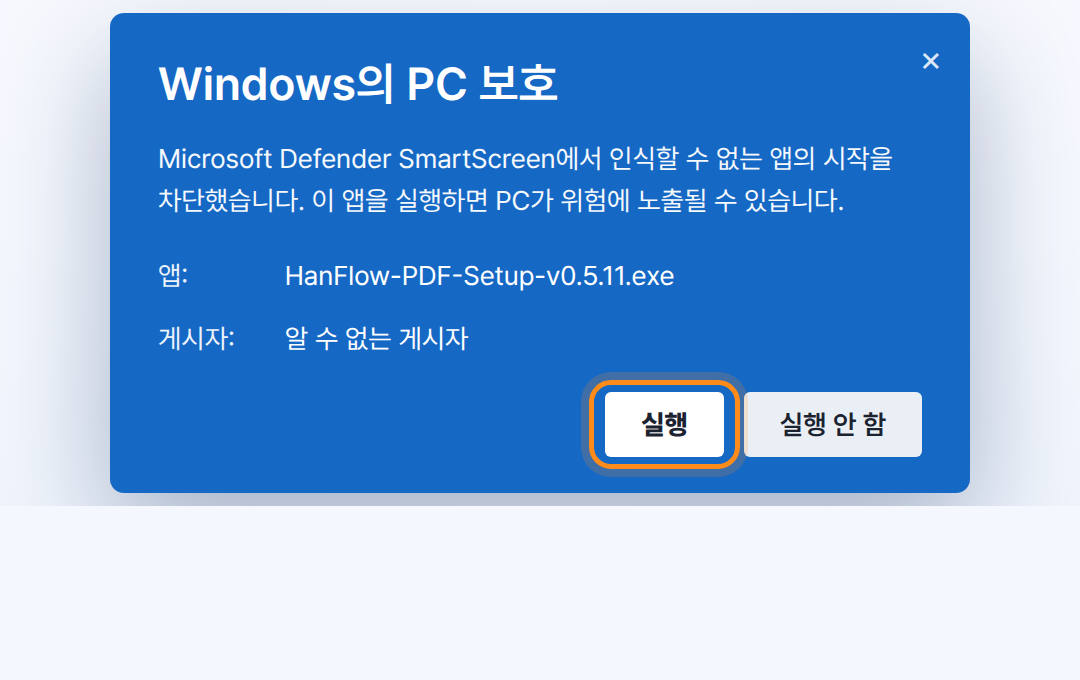
The program is code-signed, but Windows SmartScreen shows this window for newly released software while it builds reputation. Just follow steps ①②③ below. (The screenshots show the Korean Windows UI — the buttons appear in the same position in every language.)
1In the "Windows protected your PC" window, click "More info".
2Click the "Run anyway" button that appears.
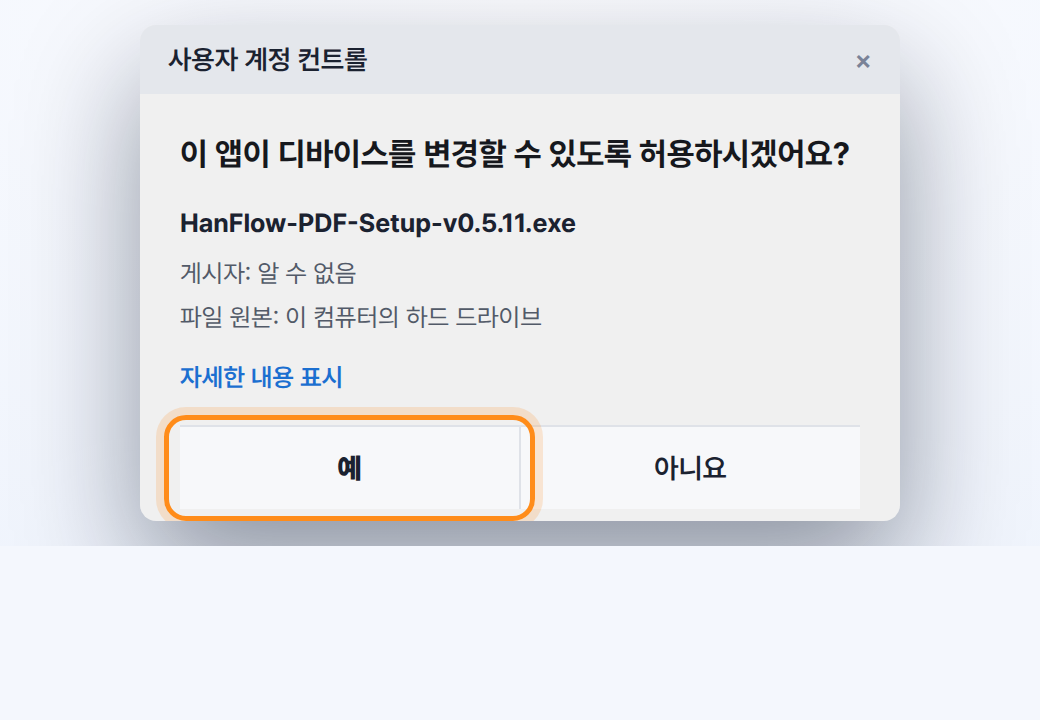
3Click "Yes" in the User Account Control prompt.
Edge Downloading with Microsoft Edge — 4 steps
Follow ①②③ when saving the file, then ④ the first time you run it. (If "Windows protected your PC" appears when running, follow the guide above first.) (Screenshots show the Korean Windows UI — same buttons, same places.)
1In the download notice, click ⋯ (More actions) next to the file.
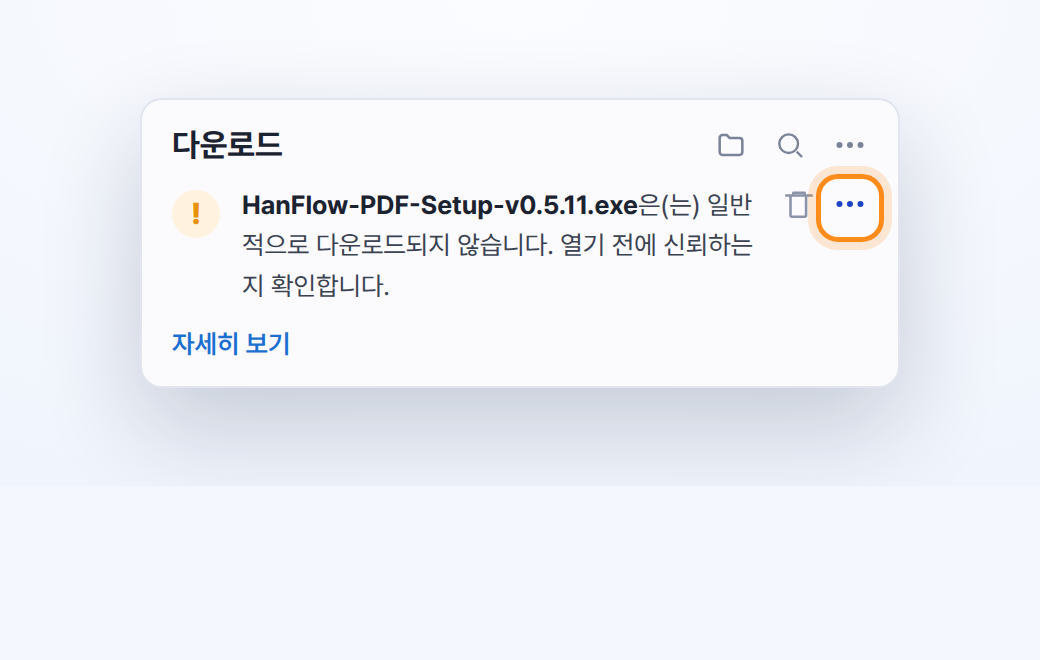
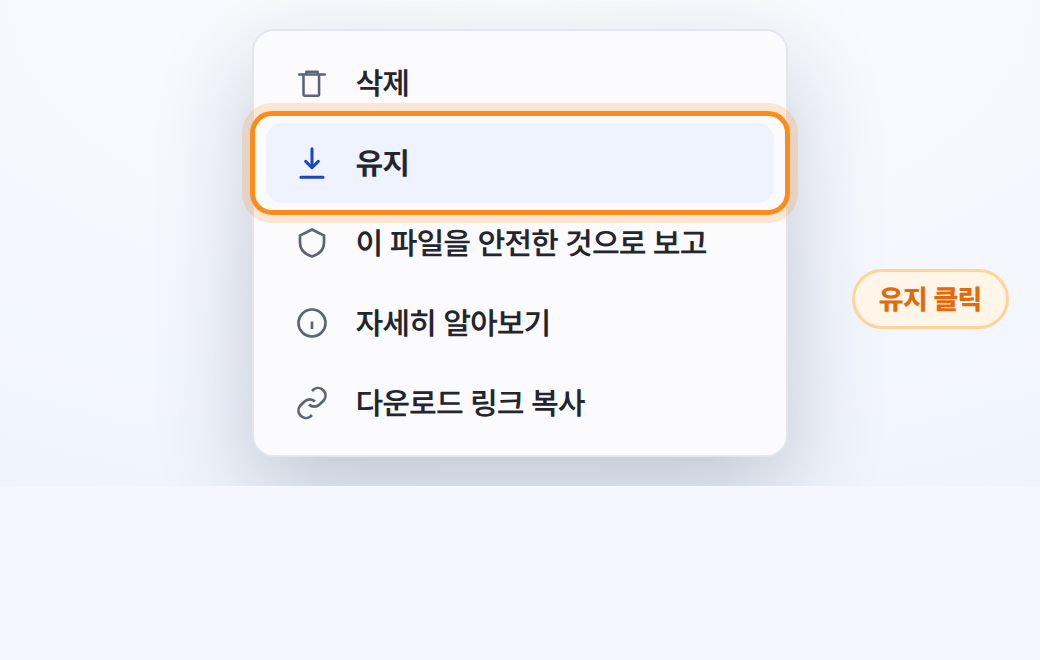
2Click "Keep" in the menu.
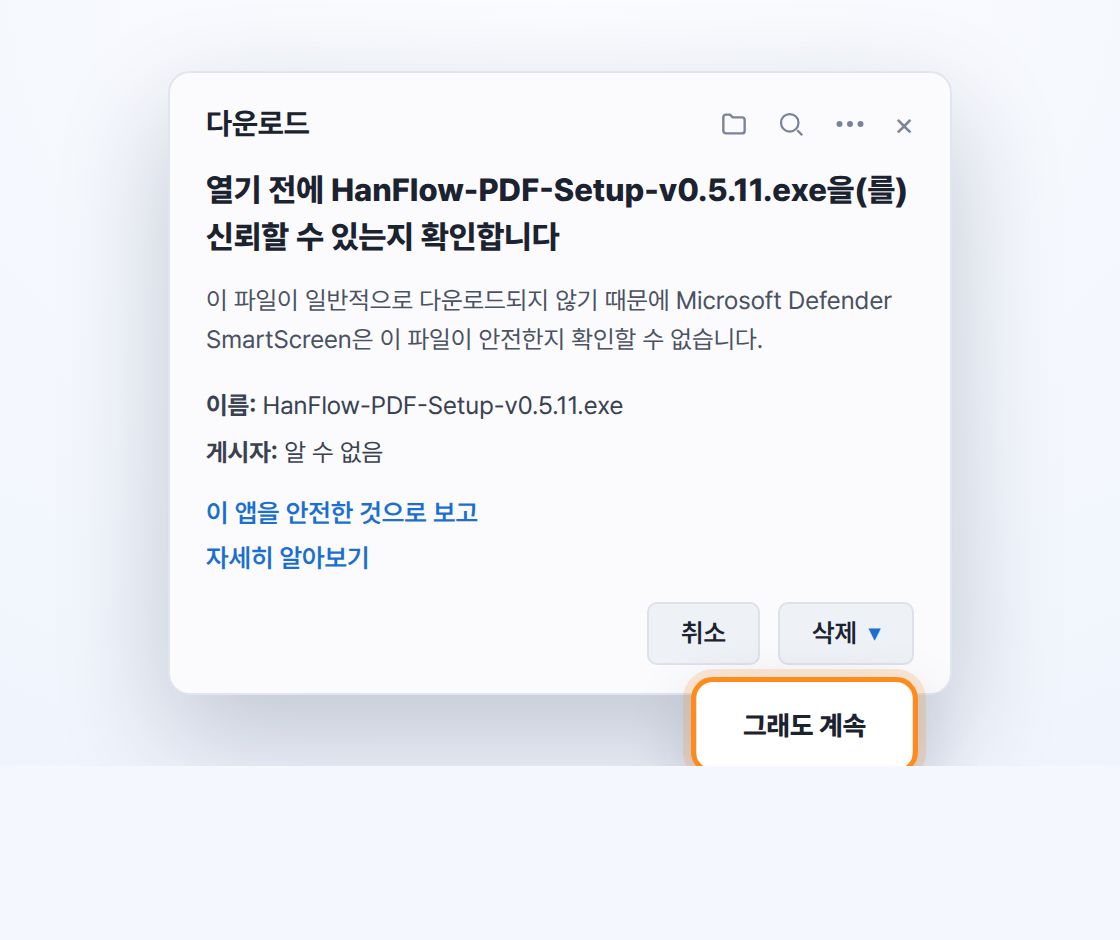
3In the confirmation window, click ▾ next to [Delete], then click "Keep anyway".
4When you run the file, click "Yes" in the User Account Control prompt.
🌐 Chrome users: Chrome usually downloads the file without blocking. If a download warning rarely appears, click "Keep" in the downloads list (Ctrl+J), then follow the guide at the top if "Windows protected your PC" appears when running.
✅ Why does this notice appear? HanFlow PDF is an official program made by Quantum Materials Inc., signed with a DigiCert code-signing certificate, and contains no viruses. Windows simply shows a protective notice for newly released software until download reputation builds up — it disappears naturally over time. It is safe to install following the steps above.
💡 After installation, launch HanFlow PDF from the desktop or the Start menu.