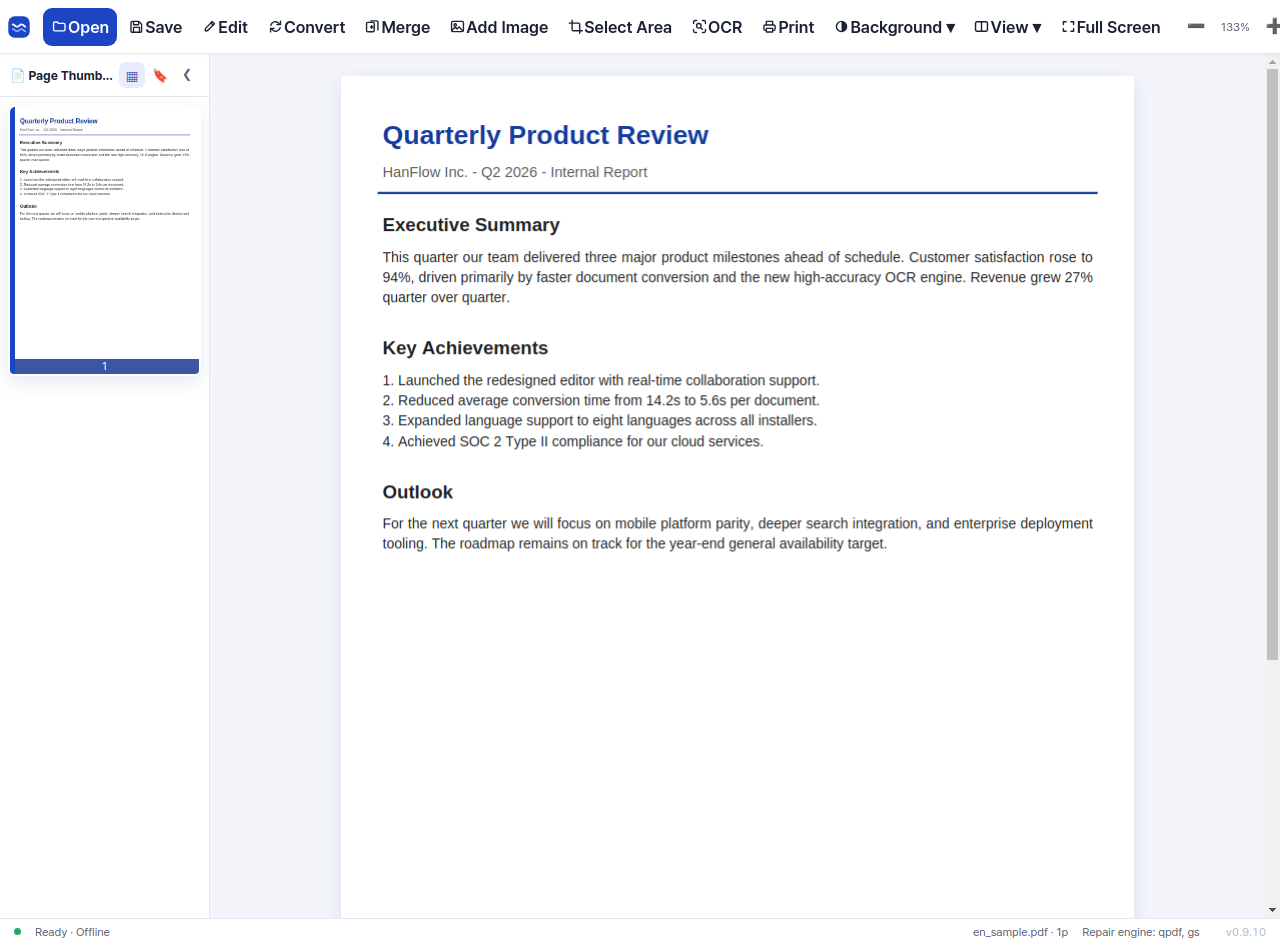
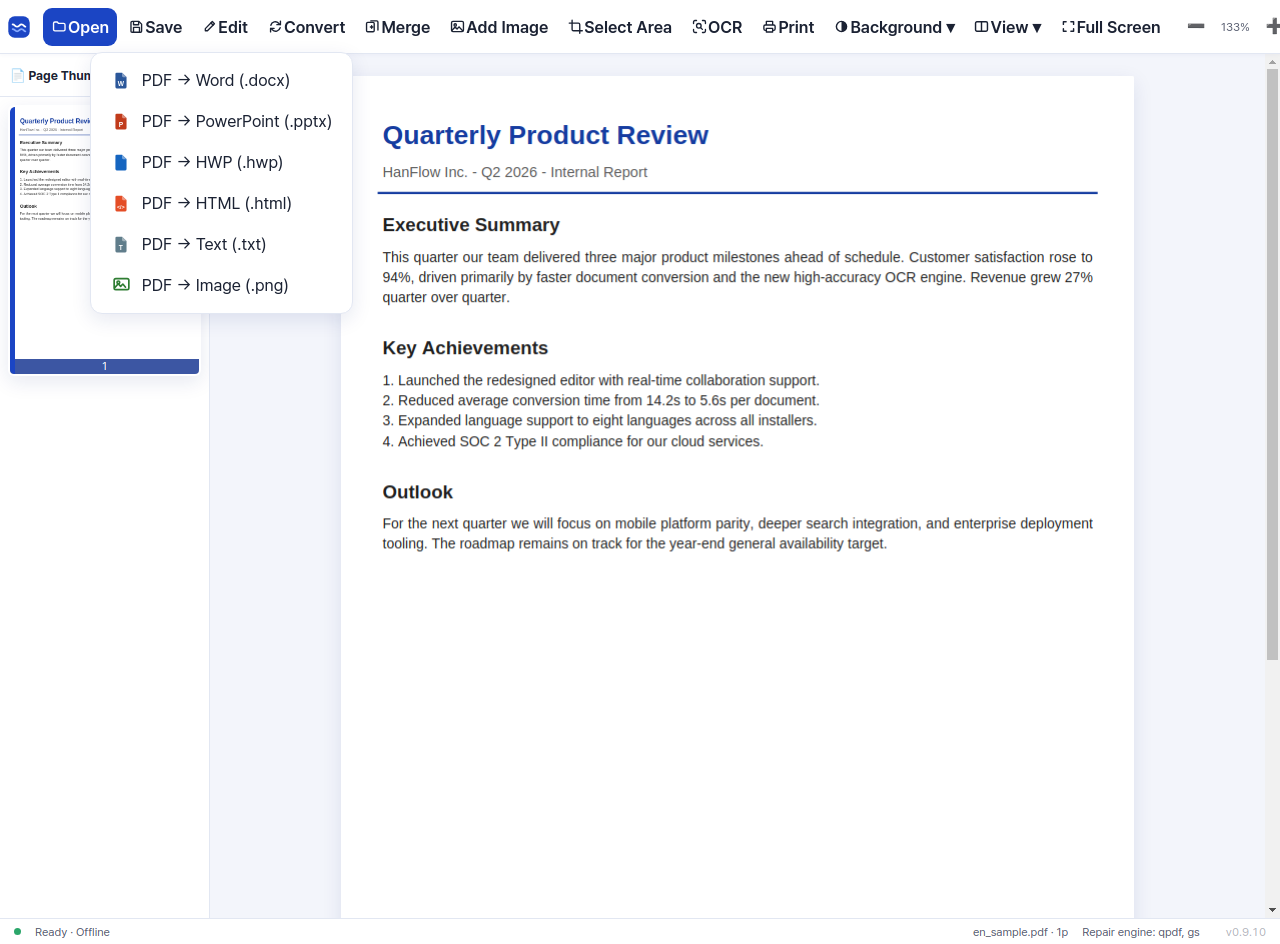
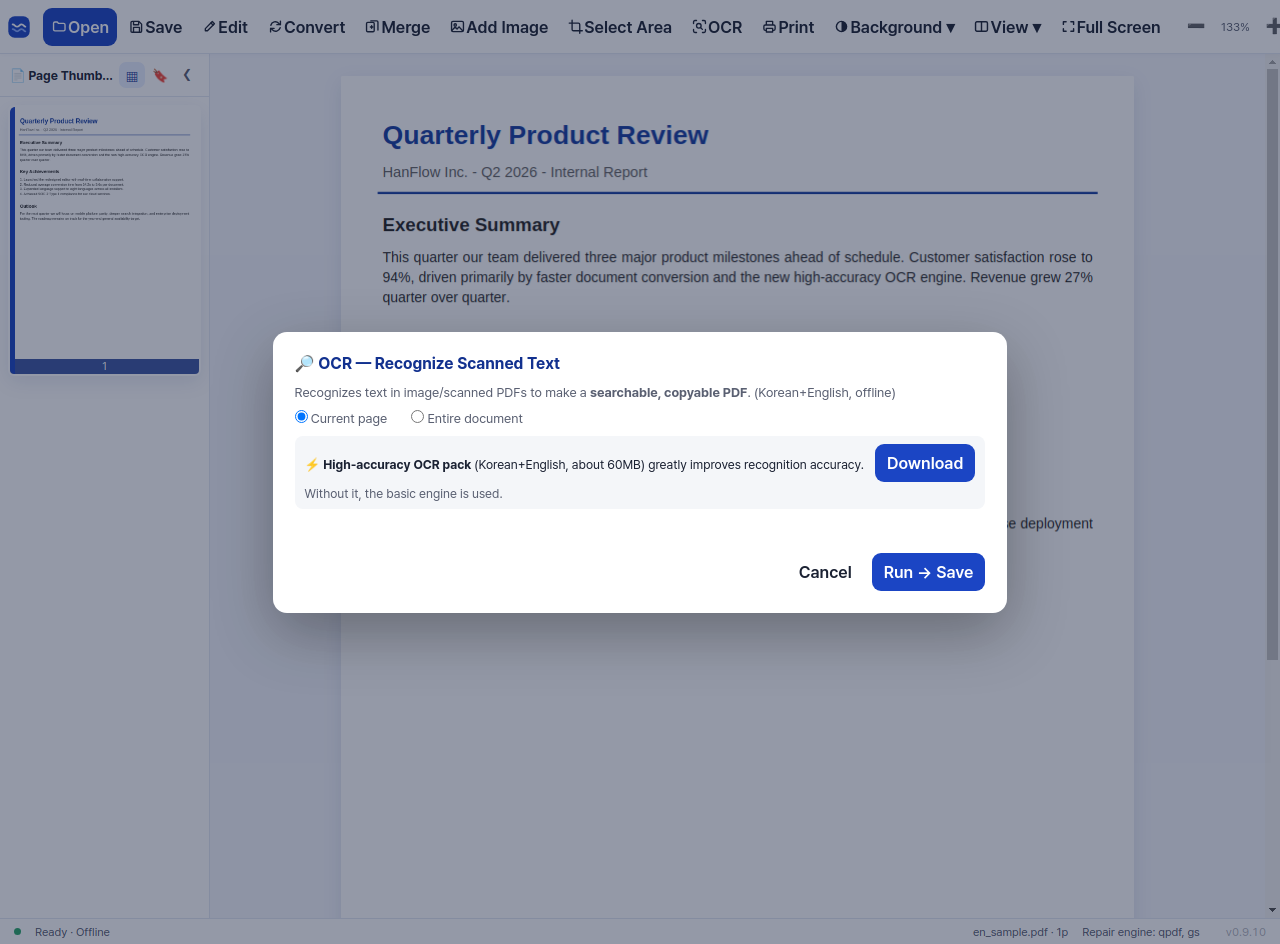
A compact toolbar with just the essentials, so anyone can view and edit right away. Convert PDFs to Word and PowerPoint with our 100% in-house engine, create PDFs straight from the right-click menu, and make scans searchable with the high-accuracy OCR pack — everything happens on your own PC.
We stripped away the clutter so everyday PDF work is fast and comfortable.
The core features run on our 100% in-house engine — your documents never leave your computer.

A clean screen with just the essentials — anyone can use it.

One click turns your PDF into an editable document.

The optional high-accuracy OCR pack (deep-learning engine) recognizes scanned documents — download only if you need it, language packs included.
Add-on OCR pack · offline
Viewing, editing, conversion and OCR are all processed locally. Nothing is uploaded anywhere.
No cloud uploadA clean screen with only the tools you actually use. Add text, highlight, and draw with the pen — anyone can annotate right away.

One click turns your PDF into an editable document, or saves it as PNG images. Tables and formatting carry over so you can keep working.

Add the high-accuracy OCR pack (modern deep-learning engine) and scanned documents become selectable, searchable, copyable text — fully offline, with downloadable language packs.

View, edit, annotate and convert — no more juggling between programs.
Fit to width or page, zoom, single/two-page and continuous scrolling, plus a full-screen presentation mode.
Add and edit body text with character-level selection, drag, copy and paste. Line wrapping follows the box width naturally.
Highlight, draw freely, and leave notes with shapes and text boxes — perfect for review and proofreading.
Convert PDFs into editable Word or PowerPoint files, layout-preserving HTML, plain text, or PNG images — tables and formatting preserved.
Recognize scanned pages into searchable, copyable text with a modern deep-learning engine. Download the compact engine pack plus the language packs you need.
Navigate long documents at a glance from the side panel and jump to any page instantly.
Open several PDFs in tabs, drag a tab out into its own window, or merge windows back — great for comparing documents.
Drop Word, image or HTML files onto the window and they convert to PDF automatically and open in a new tab — no separate converter needed. Korean HWP files get a convert/compress choice.
Protect documents with AES-256 passwords and print/copy/edit restrictions, and place hand-drawn signatures or stamp images anywhere.
No sign-up, no payment — download and start right away.
Click Free Download to get the installer (.exe).
Run the file and follow the prompts — it takes a minute or two. The installer speaks your language.
Open a PDF to view and edit, convert documents, and add the OCR pack if you work with scans.
Install and try PDF viewing, editing and conversion for free.
Free Download (Windows · 170MB)